Make a SSR Framework on Your Own: React & Node SSR Tutorial
In today's front-end development world, SSR (Server-Side Rendering) has become a popular topic. Many companies consider adopting SSR during technical upgrades to improve website performance. But as a developer, do you really understand the essence of SSR? What value does it bring? And how can we build a basic SSR framework?
Let’s explore these questions through a simple example and uncover the mystery of SSR.
const http = require('http');

const server = http.createServer((req, res) => {
  res.writeHead(200, {
If you visit localhost:3000/, you'll see a simple page – this is the most basic implementation of SSR. In fact, SSR is not a new concept. During the golden age of PHP, all web pages were rendered on the server. Modern Node.js template engines, such as EJS and Pug, also work on the same principle.
The core idea of SSR is simple: the server is responsible for assembling the HTML string, and the browser only needs to parse and display it.
So, how does client-side rendering (CSR) work? We can explore this by creating a React project using create-react-app. If you look at the generated page structure, you'll notice an interesting phenomenon: the page initially contains only an empty node with the id of root, and all content is gradually rendered after JavaScript is executed.
We won't cover these in the article; you'll need to do them on your own.
This reveals the fundamental difference between SSR and CSR:
- SSR: The page content is ready on the server side.
- CSR: The page content is dynamically generated on the browser side.
Given that CSR can already handle basic rendering, why do we still need SSR? This is because CSR has two significant drawbacks:
- Slow first-page load: The browser needs to wait for JavaScript to load and execute before rendering the content, which can lead to noticeable white screen times.
- Poor SEO performance: Search engine crawlers mainly index HTML content, and the initial HTML of CSR pages is almost empty, making it difficult for search engines to discover the content.
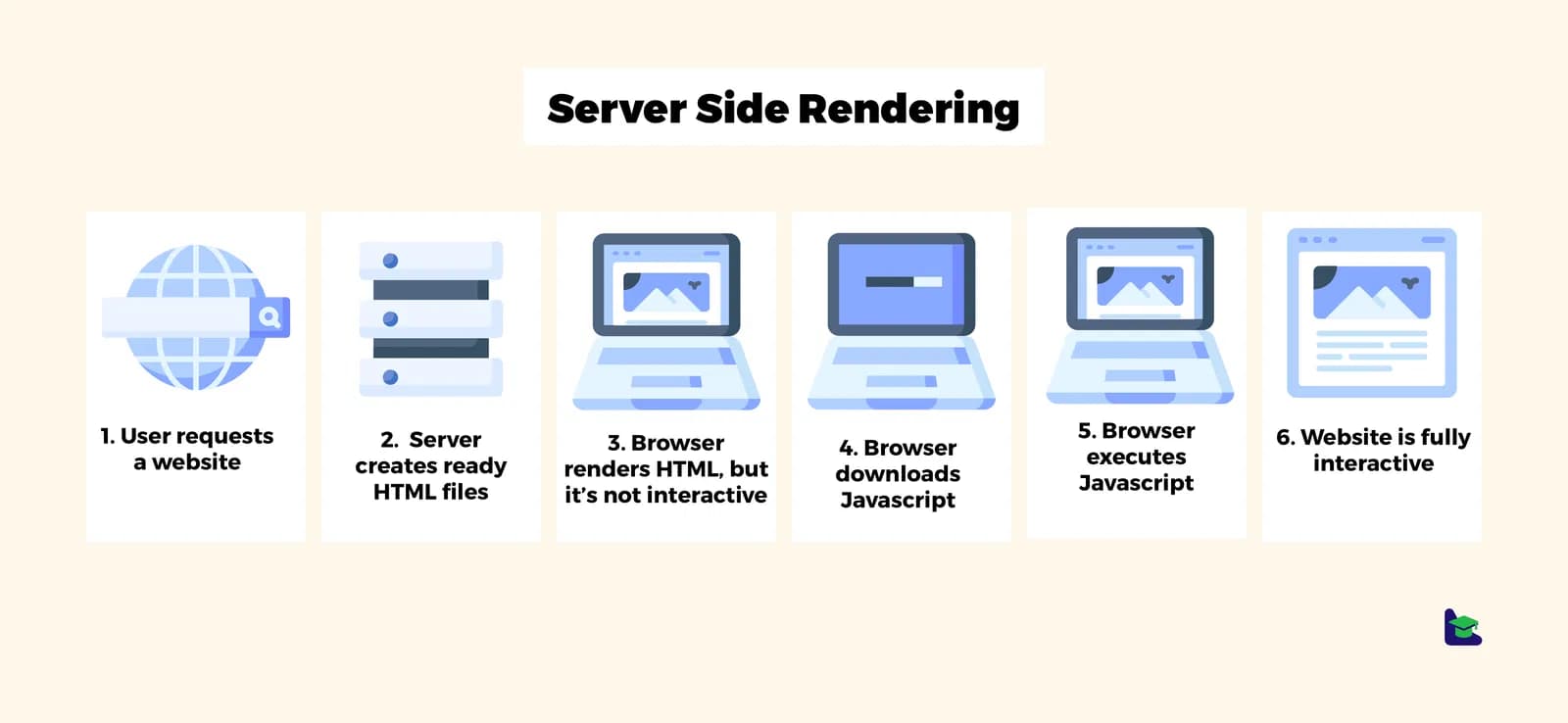
SSR was introduced to address these issues. It renders the HTML on the server during the initial load, while also fetching the same CSR code from the backend. Once it's received, it "hydrates" on the frontend, ensuring both a better user experience and improved SEO performance.
The previous example was too simple, so let's start building a real SSR framework based on React.
One of React's strengths is its ability to support isomorphic rendering (also known as universal rendering). In the front-end, React generates a Fiber Tree (an advanced version of the virtual DOM). On the server side, we can use react-dom's renderToString method to convert components into an HTML string.
Let’s build this project using TypeScript.
First, install the required dependencies:
pnpm install @types/node @types/react-dom @types/react -D
pnpm install react-dom@18 react@18Remember, the core of SSR is server-side rendering. When a user visits http://127.0.0.1:3000/, the server should return the pre-rendered HTML.
Here’s how to set up the server:
// server/app.tsx
import { createServer } from "http";
import { App }
Now, let's create the React components for the client-side:
// client/App.tsx
import { Counter } from "./component/Counter";

export function App() {
  return (
// component/Counter.tsx
import { useState } from "react";
export function Counter() {
To run the project, we can use the tsx tool based on esbuild, which allows us to directly execute TypeScript files:
pnpm install tsx -g
tsx watch server/app.tsx
After navigating to http://127.0.0.1:3000/, you’ll see the following HTML output:
<!DOCTYPE html>
<html lang="en">
  <head>
    <meta charset
At this point, we’ve completed the first step of SSR! However, the page is still static HTML. Although we defined event handlers like increment, decrement, etc., the renderToString method only generates the HTML structure and doesn't include the interaction logic.
To make the page interactive, we need to manually inject JavaScript code into the HTML. Let's move on to that next.
We have successfully implemented server-side rendering, but users still can't interact with the page. To make the buttons responsive again, we need to inject client-side JavaScript into the HTML returned by the server, just like in a traditional CSR project.
First, update the server code to support loading client-side JavaScript files:
import { createServer } from "http";
import { App }
In this step, we added a <script src="index.js"></script> tag. When the browser encounters this, it will request http://127.0.0.1/index.js. Therefore, the server needs to serve the file and return the bundled JavaScript file.
Now, let's create the client entry file to enable hydration:
// client/index.ts
import { hydrateRoot } from "react-dom/client";
import { App } from "./App";

hydrateRoot(document.querySelector
The role of this entry file is simple:
- Locate the DOM element with the
id="root". - Hydrate the existing DOM structure with the
Appcomponent.
To turn these TypeScript files into browser-executable JavaScript, we need to configure webpack:
First, install the required dependencies:
# Install webpack-related dependencies
pnpm install webpack webpack-cli webpack-merge @types/webpack -D

# Install Babel-related dependencies
pnpm install babel-loader @babel/register @babel/preset-typescript @babel/preset-react @babel/preset-env @babel/core -D// webpack.base.ts
import { type Configuration } from "webpack";
export const BaseConfig: Configuration =This configuration handles the loading and transpiling of TypeScript and React files.
// webpack.client.ts
import * as path from "path";
import * as webpack from "webpack";
import {